Assembly manual tempered glass table Lazerux

Welcome to the Lazerux Assembly Manual Step by step to build your Gaming Table Assembly in 7 Easy Steps

Progress 1%

Assembly of the legs

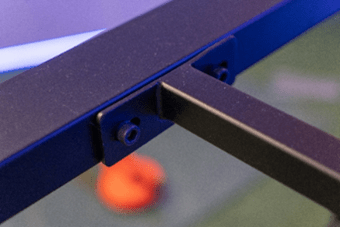
Assemble the structure by joining the metal parts with the screws indicated in the manual.
Once assembly is complete, attach the legs to the table using the appropriate screws.

Levelling of the table

Place the bubble level in the centre of the table and adjust the legs using the threaded bolts at the bottom.
Make sure that the bubble is centred between the marks on the level.

LED Strip Installation

Insert the connector of the LED strip into the slot hole, making sure that it fits snugly.
The light should be emitted towards the outside of the table to achieve a better visual effect.

Placement of Acrylics

Place a acrylic engraving in each recess in the sides of the table.
For extra hold, you can use transparent adhesive in the songs.

Thematic Preparation

Design and fix your customised theme on the surface of the table with transparent adhesive.
If you are encapsulating LED strips or other components, use the holes of the table to pass the cables in an orderly manner.
Objects must not exceed 38 mm high for an optimum finish.

Placement of the glass

To ensure a safe and durable installation of the tempered glassfollow these steps carefully:

1. Fitting the Rubber Bumpers

  • Before handling the glass, fit the 4 mm rubber buffers in the designated areas of the table.
  • These buffers help to:
    • Avoid direct contact between glass and wood.
    • Dampen shocks and vibrations.
    • Prevent accidental slips.
    • Protect the edges of the table and glass.

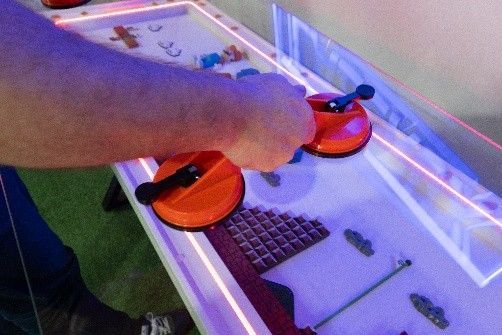
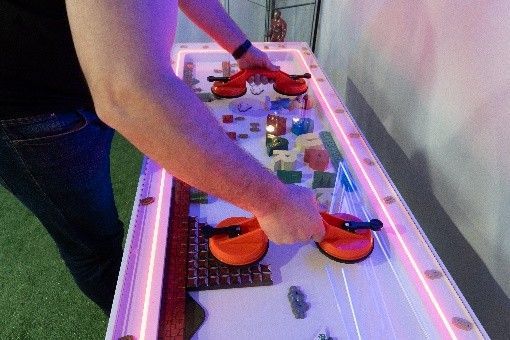
2. Use of the Suction Pad

  • It uses the suction cup included to handle the glass safely.
  • Make sure that the suction cup is well bonded before lifting the glass.

3. Careful Placement of Glass

  • Raise the glass firmly and Gently place it on the rubber buffers..
  • Perfectly aligns the edges to ensure an optimal fit.

4. Stability Verification

  • Once in place, lightly press down on the glass to ensure that it is properly seated and levelled.


Final Result

Your Lazerux gaming table is ready. Every encapsulated object and every RGB light reflects your gamer personality.
Enjoy your unique setup with premium design.

Scroll to Top

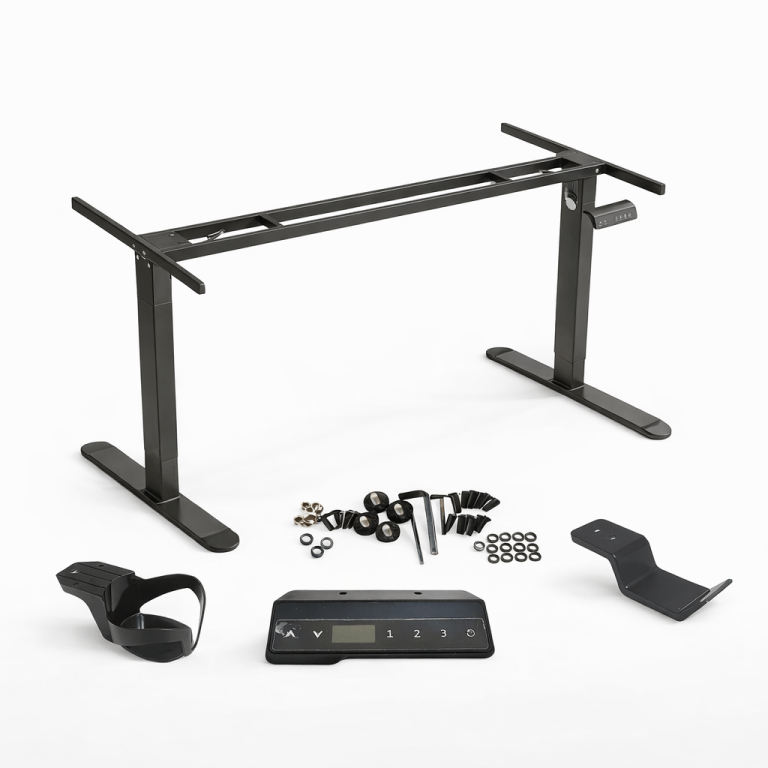
Lazerux Electric Elevating Legs - Elevate your Gaming Experience

Accessory

Turn your Lazerux table into an ergonomic and dynamic setup with our electric elevating legs. Adjust the height at the touch of a button and go from sitting to standing in seconds. Plus, it has 3 programmable memories to save your favourite heights and switch between them quickly and easily. Improve your comfort, take care of your posture and take the customisation of your gaming space to the next level.

Compatible with all Lazerux table models.

PropertyDetail
ColourBlack
HeightMinimum 72 cm - Maximum 120 cm
Engine220v
High altitude memories3
Maximum supported weight80Kg
  
Cookies lazeruxpro.com
We use cookies and other tracking technologies to ensure that we give you the best experience on our website and analyse your use of our products and services.
No, more info
Set Cookie
- Necessary Cookies
Our Cookies:
- Preference cookies
- Analytical Cookies
- Marketing cookies